
Introduction
Tamamo is a reverse proxy (a server that receives visitors and passes each request on) that sits in front of your website. Before it forwards a visitor, it asks the browser to solve a small proof-of-work puzzle. Bots that don't run JavaScript, or won't spend CPU time on every site they visit, stop at that check.
What visitors see
The first time a visitor opens your site, Tamamo shows a checking page instead of your content:
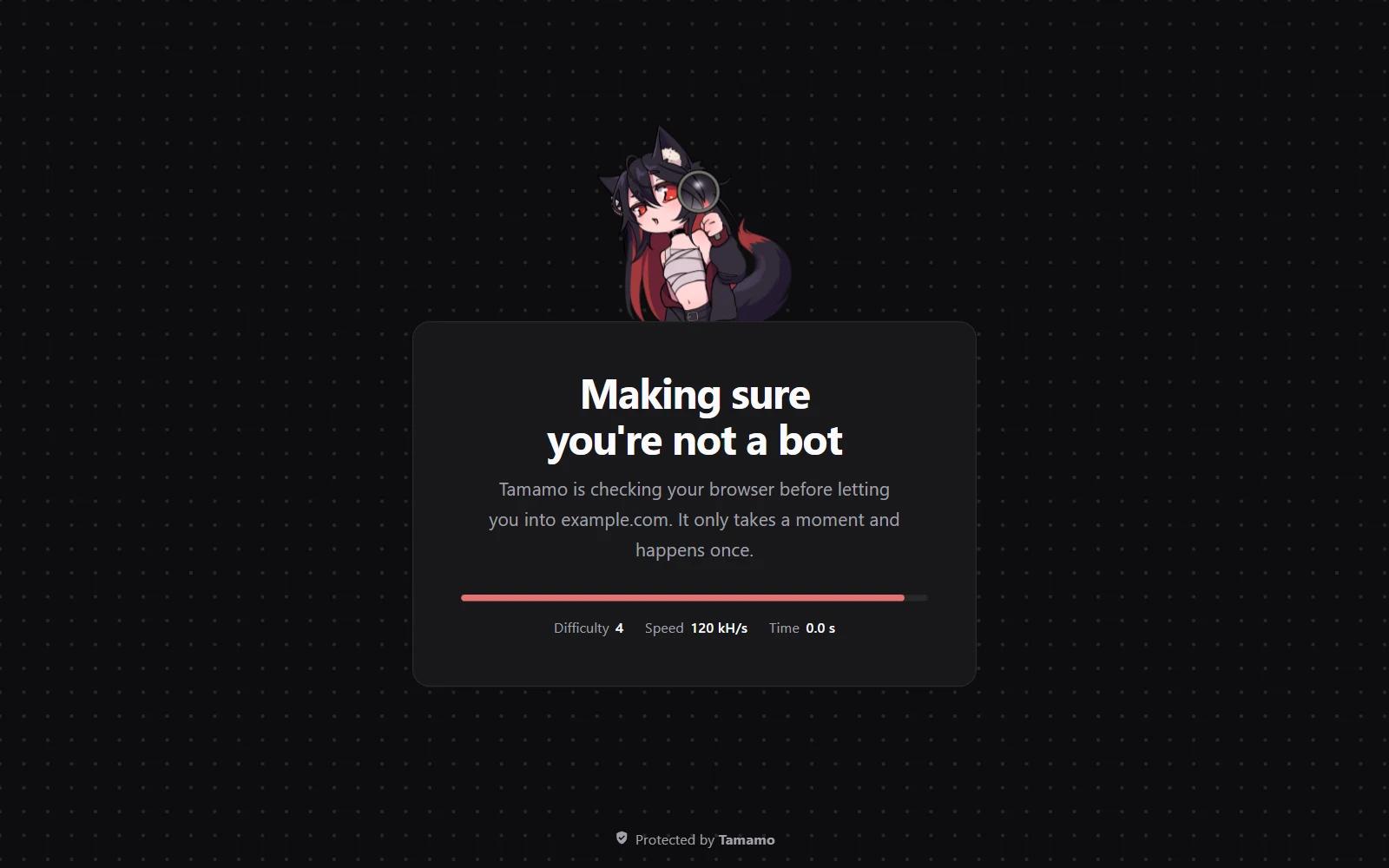
The browser solves the puzzle in the background, usually in well under a second. When the puzzle is solved, the browser receives a pass: a signed cookie that lasts 7 days by default. Requests with a valid pass go straight to your site. Search engines and other good bots are let through without a check.
How a request flows
text
  Visitor's browser
        |
        |  GET https://example.com/products
        v
  +------------------------------+
  |            Tamamo            |
  |  2. Checks, modules, rules   |
  |  3. Default action           |
  +------------------------------+
        |             |              |
      allow        challenge        block
        |             |              |
        |      checking page         "Access denied"
        |      + proof of work
        |             |
        |      pass cookie set
        v             v
  +------------------------------+
  |     Your site (upstream)     |
+------------------------------+- The request arrives on port
8923. Tamamo reads the host name, the path, the user agent and the visitor's IP address. On a public site, a proxy such as nginx, Caddy or Traefik handles HTTPS on port443in front of Tamamo. See Behind a reverse proxy. - The bypass headers, the rate limit, webhooks and modules run first, if you use any. Then the rules run from top to bottom, and the first rule that matches decides.
- If no rule matches, the default action applies. It is
challenge. - A
challengelets through a request with a valid pass. Any other request gets the checking page, and the browser solves the puzzle. - Tamamo sets the pass cookie and forwards the request to your site, the upstream. Later requests with the pass go straight to your site, which never sees the check.
Proof of work and difficulty
The browser must find a number that produces a SHA-256 hash starting with a set number of zeros, which takes many attempts, while Tamamo checks the answer with one. The number of zeros is the difficulty, from 1 to 8; each step makes the work about 16 times harder, and the default of 4 takes a typical phone well under a second.
The two parts
- The backend (
tamamo) is the proxy. It handles all visitor traffic, applies the rules, renders the checking page and forwards allowed requests. You always need it. - The web UI (
tamamo-webui) is an optional settings editor that runs in your browser. It never serves visitors. Without it, you edit one file,tamamo.yaml, which is in the data folder.
Both are published as Docker images: ghcr.io/foxgirlsorg/tamamo and ghcr.io/foxgirlsorg/tamamo-webui.
Features
- Rules with
allow,challengeandblockactions. The default rules let search engines, link previews and other good bots through, and check everyone else. - Several sites behind one Tamamo, each with its own upstream, rules and checking page.
- A checking page designer with translated texts, colors, images and a live preview.
- A rate limit, bypass headers and webhooks for the cases rules don't cover.
- Modules: Go code compiled into Tamamo that adds checks, checking-page content, endpoints and its own screens in the web UI.
- One settings file. Everything lives in
tamamo.yaml. Environment variables (settings given to the container in the compose file) can override individual fields and lock them in the web UI. See Environment variables. - Local statistics. Counts are stored in a database on your server. They are off by default.
Next steps
- Installation runs Tamamo with Docker or from source.
- Configuration explains how settings work and where each one is described.