
Server settings
The server section sets where Tamamo listens, where it sends verified visitors, and how it finds each visitor's IP address. In the web UI, open Configure > Server.
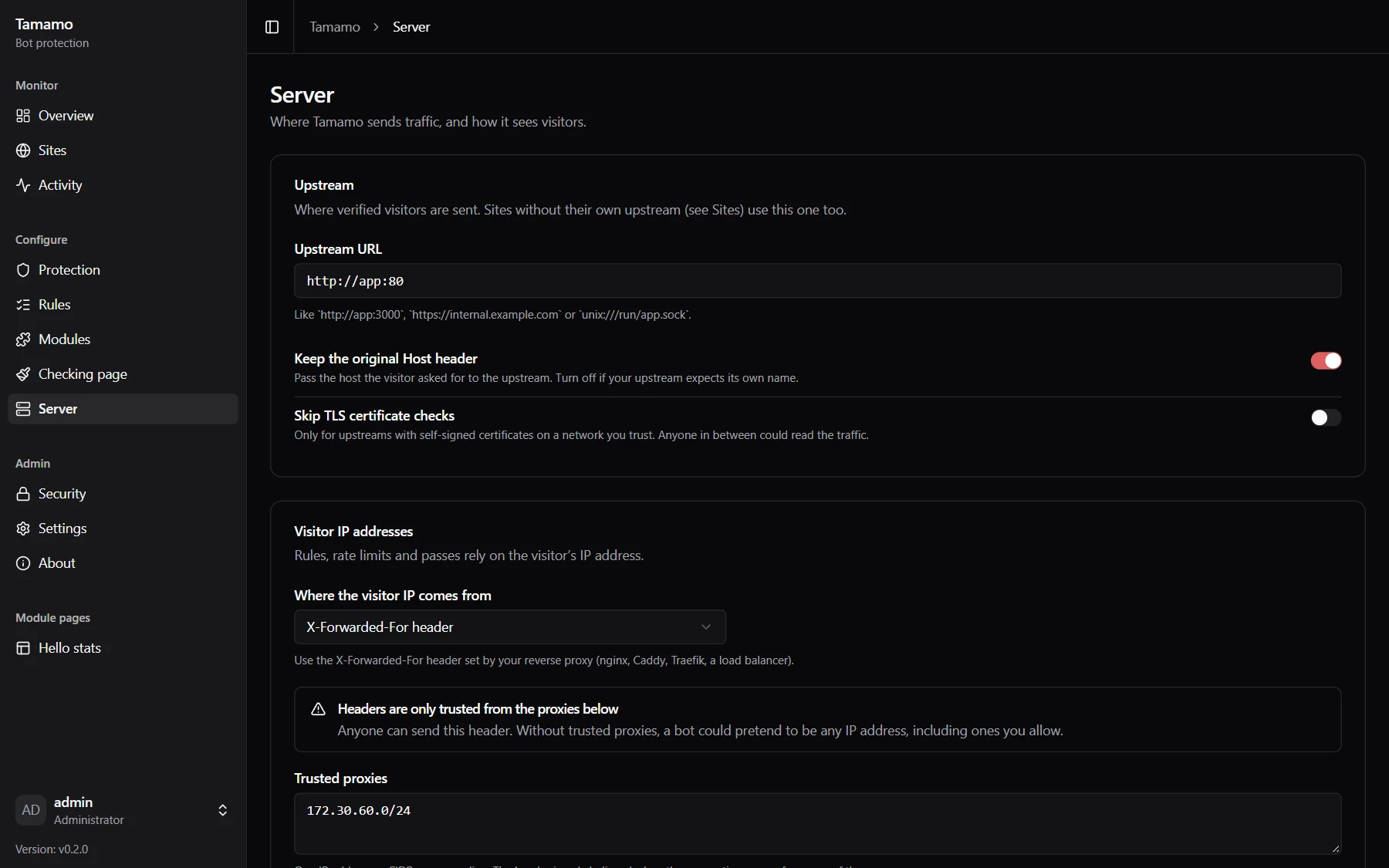
| Key | Web UI | Default | What it does |
|---|---|---|---|
listen | Proxy listens on | :8923 | The address visitors connect to. :8923 accepts connections on all interfaces. 127.0.0.1:8923 accepts them only from the same machine. Needs a restart. Locked by TAMAMO_LISTEN. |
target | Upstream URL | http://localhost:3000 | Your website. Accepts http://host:port, https://host, or unix:///path/to/socket.sock. Locked by TAMAMO_TARGET. |
ip_source | Where the visitor IP comes from | remote | Where Tamamo reads the visitor's IP: remote, x-forwarded-for, x-real-ip, or cf-connecting-ip. Any other value becomes remote. Locked by TAMAMO_IP_SOURCE. |
trusted_proxies | Trusted proxies | [] | IP addresses or CIDR ranges that may set the IP header. |
auth_endpoints | Verdict endpoints | auto | Whether /.tamamo/auth and /.tamamo/forward-auth answer: auto, on or off. auto means only while target is empty. See auth mode. |
preserve_host | Keep the original Host header | true | Passes the host name the visitor typed to your app. |
insecure_skip_verify | Skip TLS certificate checks | false | Accepts any certificate from an https upstream. |
Upstream
The upstream is your website, the one Tamamo forwards verified visitors to. Inside Docker, localhost means the Tamamo container. Use your app's service name instead, such as http://app:80.
An empty target means Tamamo forwards nothing. Leave it empty only in auth mode, when your proxy serves the site and only asks Tamamo whether each visitor may pass. See nginx auth_request or Caddy and Traefik forward auth.
Auth mode
In auth mode your proxy serves the site and only asks Tamamo for a verdict on each request, at /.tamamo/auth (nginx) or /.tamamo/forward-auth (Caddy, Traefik). Those two addresses are for the proxy, not for visitors.
With auth_endpoints: auto, they answer only while target is empty, which is how auth mode is set up. With a target, Tamamo forwards the traffic itself and both addresses answer 404. Set auth_endpoints: "on" only if one Tamamo does both: forwards some sites and gives verdicts for others.
Keep preserve_host on unless your app needs its own host name. Apps use the host name to build links and redirects.
insecure_skip_verify turns off certificate checks for an https upstream. Use it only for a self-signed certificate on a network you trust.
Visitor IP addresses
Rules with ips, pass binding, and the failed-attempt limit all use the visitor's IP address. With remote, Tamamo uses the address of whoever connects to it. If a proxy sits in front of Tamamo, that address is the proxy's, so every visitor looks the same. Tell Tamamo to read the real address from a header instead:
x-forwarded-forfor nginx, Caddy, and Traefik.x-real-ipfor a common nginx setup.cf-connecting-ipwhen the proxy directly in front of Tamamo is Cloudflare's, for example a Cloudflare Tunnel.
The reverse proxy guide has a table of which value fits nginx, Caddy, and Traefik. See Configure your proxy.
Set trusted_proxies to the address your proxy uses when it connects to Tamamo. A CIDR range such as 172.18.0.0/16 means all addresses starting with 172.18.. To find the right address, see Tell Tamamo to trust the proxy. The address in the example below is only an example. Replace it with your proxy's address. Tamamo reads the header only from the addresses in the list:
yaml
server:
  ip_source: x-forwarded-for
  trusted_proxies: [10.0.0.5]
With a header source, Tamamo also passes your proxy's X-Forwarded-Proto header to your app, so the app knows the visitor used HTTPS.
WARNING
With an empty trusted_proxies list, Tamamo believes the header from anyone who can reach its port. A bot can then send its own address and pass as an IP you allow in a rule. Fill in the list before you switch to a header.
Listen address
Changing listen needs a restart. In Docker, keep :8923 and limit who can reach it with the ports line in your compose file instead. The admin API has its own address, admin.listen, on the admin page.
Related
- Protection: how hard the check is and how long a pass lasts.
- Sites: give a second website its own upstream.
- Reverse proxy guide: a full setup with nginx, Caddy, or Traefik.